How to add your local project to GitHub
Last updated:
Start a new repository on GitHub:
You need to log in to or create a user on github.com. The first thing we are going to do is to make a new repository on GitHub. A repository is a place where you keep all your project files, like the code, text files, documentations, images, etc... It's everything in your project together in one place. A repository is kind of like a folder. To create the repository you have to navigate to 'Dashboard' and press the button "New".

Choose a name for your new repository (I like to name the project the same as my local project). Select if you want your project to be Public or Private. You can add a description if you want. Then press 'Create a new repository'.
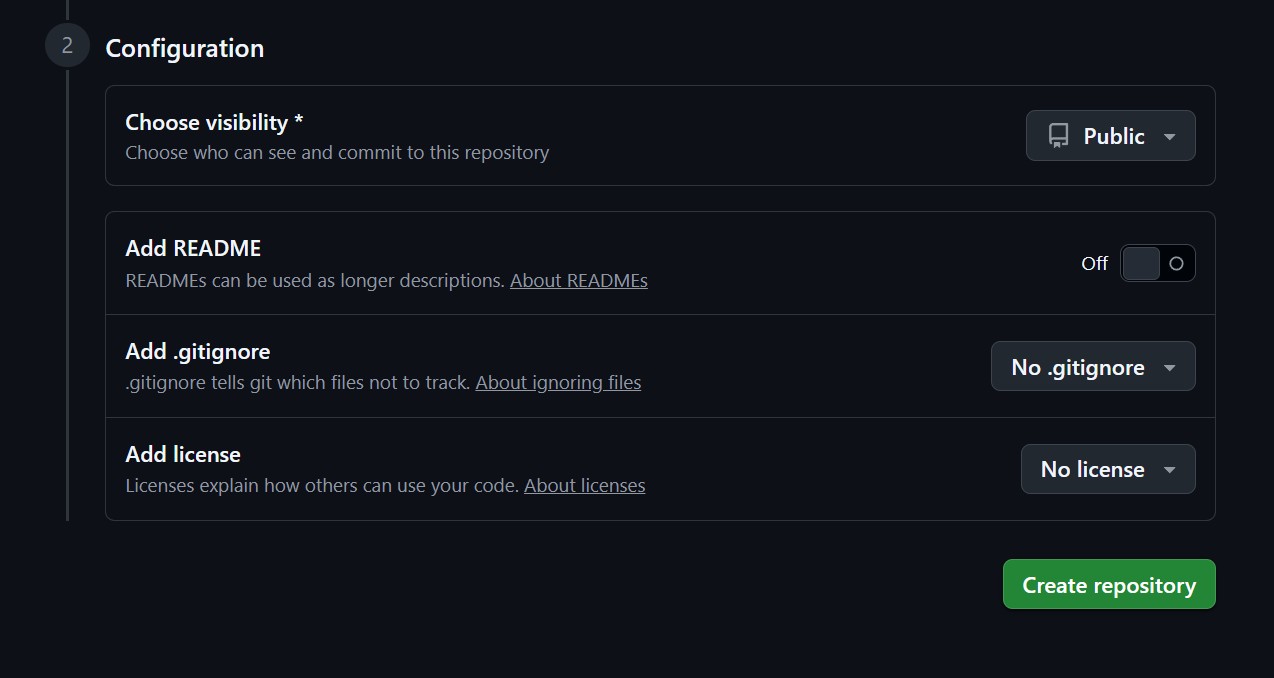
Now we need to connect your local project with the repository we just created on GitHub. You can choose between two options, using HTTPS or SSH. HTTPS is easier for beginners, though SSH is more convenient for daily use. I have made a guide for both options:
Alt 1: Add a git repository to your local project using HTTPS
First you need to copy the project URL on GitHub. Navigate to your repository and then click the green button 'Code'. Here choose HTTPS and copy the link.
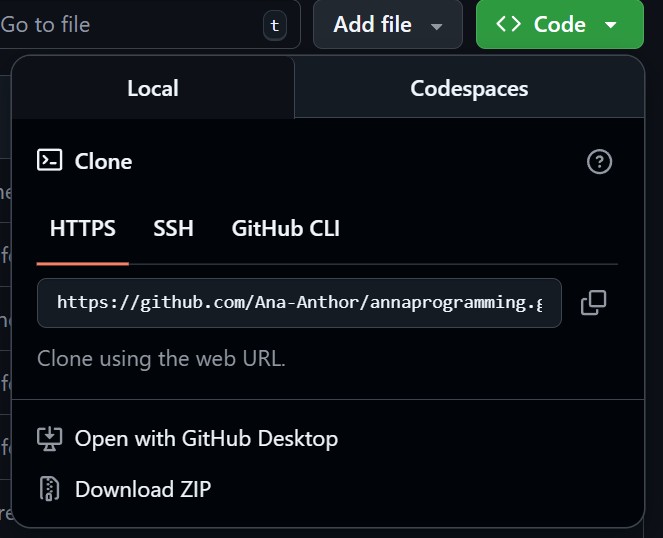
Open terminal and navigate to your project folder. Create a README.md file (if you don't already have one).
echo "# myprojectname" >> README.mdThen initialize a git project
git initAdd (stage) all files
git add .(You can also just add the README.md file)
git add README.mdCommit file(s) and write a commit message
git commit -m "first commit"Create a main branch
git branch -M mainAdd your local files to your remote repository on GitHub, using the project URL we just copied on GitHub.
git remote add origin https://github.com/username/myprojectname.gitFinally, push your changes
git push -u origin mainIf you refresh GitHub.com you can now see your project.
Alt 2: Add a git repository to your local project using SSH
To use SSH you first need to exchange keys with GitHub. If you have not already done it, this post explains how to exchange keys:
When your key is ready, we can move on. First you need to copy the link to the project on GitHub. Navigate to your repository and then click the green button 'Code'. Here choose SSH and copy the link.
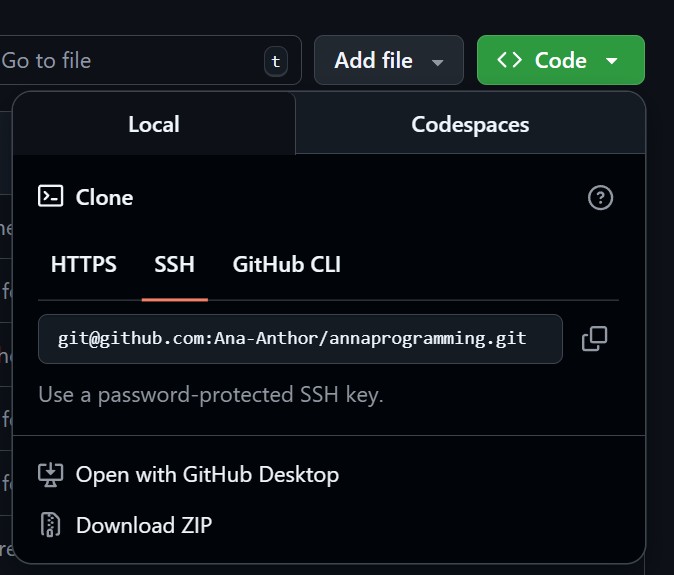
Now that we have the link you can open the terminal and navigate to your project folder. Create a README.md file (if you don't already have one).
echo "# myprojectname" >> README.mdThen initialize a git project
git initAdd (stage) all files
git add .Or just the README.md file
git add README.mdCommit file(s) and write a commit message
git commit -m "first commit"Create a main branch
git branch -M mainAdd your local files to your remote repository on GitHub
git remote add origin git@github.com:username/myprojectname.gitFinally, push your changes
git push -u origin mainIf you refresh GitHub.com you can now see your project.
To learn more about cloning repositories check out this post: